SOLIDWORKS | Design & Engineering

Turn your ideas into real products. Design, validate and manufacture faster.

SOLIDWORKS provides intuitive tools for 3D design, simulation, data management, electrical design and manufacturing.

With 3DEXPERIENCE Works, your teams can collaborate using current data, manage changes and connect product development with manufacturing in one cloud environment.

Problem of design teams

High-quality 3D design is not enough when data, changes, and collaboration remain fragmented.

Design teams need to design quickly, accurately, and with confidence that they are working with current data. In practice, however, losses often occur due to files stored in different locations, manual information handovers, and separate tools.

1

Files are scattered across drives and emails

Models, drawings, comments, and approvals are not managed in one environment.

2

The team wastes time checking versions

Without controlled revisions and data checkouts, the risk of working with outdated designs increases.

3

Design, simulation, and manufacturing are not connected

Results are transferred manually, and the impacts of changes are verified late in the process.

SOLIDWORKS 3D design and product development
Change of approach

From standalone CAD tool to connected product development.

SOLIDWORKS combines intuitive 3D design with documentation, simulation, data management, and cloud collaboration. Teams can move from idea to production faster and scale solutions as their processes and needs grow.

01

Intuitive 3D design

Model parts, assemblies, and drawings in an environment designed for the everyday work of designers.

02

Data under control

Manage revisions, access, bills of materials, and approvals without the hassle of finding the right version.

03

Collaboration from anywhere

Share designs, comment on them, and involve colleagues, customers, and suppliers in one process.

Our approach

First, understand the way of working. Then choose the right SOLIDWORKS.

TECHNODAT does not design licenses in isolation. First, we map the design process, data handling, collaboration, links to production, and future development. Then we recommend the appropriate combination of applications, services, and support.

Process analysis

We map design, approvals, data management, bills of materials, simulations, and handover to production.

Solution design

We select the right combination of SOLIDWORKS Design, Simulation, PDM, Electrical, or 3DEXPERIENCE Works.

Pilot and migration

We verify the workflow on a specific project and prepare a safe transition for both data and users.

Training and development

We assist with deployment, methodology, training, support, and further expansion of solutions.

SOLIDWORKS Solutions

Select the area you need to advance in development.

SOLIDWORKS is not just 3D CAD. The portfolio covers design, simulation, data management, electrical design, manufacturing, and the integration of the entire development on the 3DEXPERIENCE platform.

SOLIDWORKS Design – 3D design of parts, assemblies, and manufacturing documentation

SOLIDWORKS Design

Professional parametric 3D CAD solution for creating parts, assemblies, manufacturing drawings, and documentation from the first concept to production.

  • 3D modeling of parts and assemblies,
  • associative 2D drawings and manufacturing documentation,
  • tools for sheet metal, weldments, molds, and design automation,
  • sharing, commenting, and cloud file management.
Discuss SOLIDWORKS Design
SOLIDWORKS Simulation – virtual verification of strength, flow, and product behavior

SOLIDWORKS Simulation

Verify the behavior, reliability, and safety of products before manufacturing physical prototypes and make decisions based on simulation results.

  • structural and strength analyses,
  • flow and heat transfer using CFD,
  • motion and injection molding simulations,
  • working on the same CAD data as the design team.
Discuss simulation options
SOLIDWORKS data management – controlled revisions, bills of materials, approvals, and team collaboration

Data Management and Collaboration

Keep CAD files, revisions, bills of materials, and approval processes under control using SOLIDWORKS PDM, Cloud Services, and cloud PLM tools.

  • central and traceable product data,
  • version control, checkouts, and access rights management,
  • workflow for change control and approvals,
  • secure sharing of designs with internal and external teams.
Resolve design data management
3DEXPERIENCE Works – connecting people, applications, and data

3DEXPERIENCE Works

Connect design, data management, simulation, manufacturing, marketing, and service in one cloud environment for continuous product development.

  • one platform for people, applications, and current data,
  • collaboration from computer, tablet, and mobile,
  • links to project and PLM processes,
  • scalable development according to company needs.
More about 3DEXPERIENCE
SOLIDWORKS Electrical – connecting electrical schematics and mechanical 3D design

SOLIDWORKS Electrical

Connect the creation of intelligent 2D schematics with 3D mechanical design, cabling, cabinets, and documentation of electrical systems.

  • intelligent electrical schematics,
  • integration of ECAD and MCAD teams,
  • 3D routing of cables, wires, and harnesses,
  • automated documentation and bills of materials.
Discuss SOLIDWORKS Electrical
SOLIDWORKS for manufacturing – CAM, automation, and connection to 3D data

Manufacturing and Production

Transfer design data to manufacturing without unnecessary conversions and utilize solutions for machining, nesting, robotics, factory simulation, and manufacturing collaboration.

  • CAM and multi-axis machining,
  • material optimization using nesting,
  • automation and robotic applications,
  • virtual verification of manufacturing processes and workstations.
Discuss connection to manufacturing
Connection to the platform

SOLIDWORKS grows with the company, from 3D CAD to managed product lifecycle.

You can start with professional 3D design and gradually add cloud data management, collaboration, simulation, project management, or PLM. Integration with the 3DEXPERIENCE platform protects existing investment and opens the way to connected development without the need to change the proven design environment.

What does the connection bring?

1
One source of truth Models, drawings, revisions, bills of materials, and project information are available in a controlled context.
2
Controlled changes Design changes have a traceable history, responsibilities, and links to other teams.
3
Collaboration across the company Design, simulation, manufacturing, purchasing, project management, and management work on current data.
4
Scalable cloud New capabilities can be added gradually without building complex proprietary infrastructure.
Video

How 3DEXPERIENCE Works connects design, data, and collaboration.

See how the familiar SOLIDWORKS environment can be connected to the cloud platform, shared data, and other areas of product development in one collaborative digital environment.

3D CAD Cloud Collaboration PDM / PLM Simulation 3DEXPERIENCE Works
Specific benefits

What can SOLIDWORKS change in your development?

The goal is not just to create 3D models. The goal is to accelerate the journey from idea to product, reduce errors, better protect design data, and connect people involved in development.

01

Faster product development

Intuitive modeling, reuse of designs, and automatic updates of documentation shorten routine work.

02

Fewer version errors

Controlled revisions and access reduce the risk of the team using outdated models, drawings, or bills of materials.

03

Fewer physical prototypes

Simulations and digital verification help identify problems earlier before they manifest in production.

04

Better team collaboration

Colleagues, customers, and suppliers can comment on designs without the hassle of sending bulky files.

05

Safer product data

Central storage, permissions, history, and backups give the company better control over know-how.

06

Gradual development

Solutions can be expanded from 3D CAD and PDM to cloud collaboration, simulation, and PLM processes.

Who is SOLIDWORKS suitable for

Solutions for companies that need to quickly and reliably bring an idea to production.

Industrial Equipment

Machines, lines, fixtures, modular constructions, product configurations, and large assemblies.

Automotive and Mobility

Components, fixtures, testing equipment, supplier projects, and rapid design changes.

High-Tech and Electronics

Mechanical and electrical integration, enclosures, cooling, cabling, and rapid product cycles.

Consumer Products

Industrial design, ergonomics, variants, visualization, and product preparation for manufacturing.

Aerospace and Defense

Precision parts, mechanisms, fixtures, documentation, and controlled changes in complex projects.

Energy and Technology

Technological units, piping systems, equipment construction, and coordination of multiple professions.

Mold Making and Plastics

Molds, tools, injection parts, manufacturability analysis, and process verification.

Custom Manufacturing

Rapid variant creation, reuse of designs, precise documentation, and connection to CAM.

Why TECHNODAT

We do not just sell licenses. We help set up the entire way of working.

TECHNODAT connects experiences from design, product data management, 3DEXPERIENCE, implementation, integration, training, and long-term user support.

Process analysis and proper configuration

We help determine which SOLIDWORKS tools truly fit your team, data, and planned development.

Arrange a consultation

Implementation, migration, and integration

We set up the environment, workflow, permissions, data migration, and links to other enterprise systems.

More about implementation

Training and long-term support

We prepare users for practical work and assist with support, methodology, and further development after launch.

More about training

Do you want to find out which SOLIDWORKS configuration makes sense for you?

Connect with TECHNODAT experts. We will help you choose solutions for 3D design, simulation, data management, electrical design, manufacturing, or connection to the 3DEXPERIENCE platform.

I want a consultation
FAQ

Frequently asked questions about SOLIDWORKS

What is SOLIDWORKS?
SOLIDWORKS is a portfolio of Dassault Systèmes solutions for 3D and 2D design, technical documentation, simulations, product data management, collaboration, electrical design, and links to manufacturing.
Is SOLIDWORKS just 3D CAD?
No. The foundation is professional 3D CAD, but the portfolio also includes simulations, PDM and PLM, cloud collaboration, Electrical, CAM, visualization, and other tools for the entire product development process.
How does SOLIDWORKS relate to the 3DEXPERIENCE platform?
SOLIDWORKS can be connected to the 3DEXPERIENCE platform, extending the familiar design environment with cloud data management, collaboration, project management, PLM processes, and other specialized applications.
Is it possible to start only with CAD and expand the solution later?
Yes. Solutions can be implemented gradually. A company can start with 3D design and add data management, simulations, Electrical, cloud collaboration, project management, or broader PLM functionality as needed.
What is the difference between SOLIDWORKS PDM and cloud data management?
SOLIDWORKS PDM is a traditional solution for managing CAD data in a local environment. Cloud Services and cloud PLM tools utilize the 3DEXPERIENCE platform, reducing the demands on proprietary infrastructure and facilitating access and collaboration from anywhere.
Will TECHNODAT help with data migration, implementation, and training?
Yes. TECHNODAT assists with process analysis, configuration design, installation, data migration, setting up workflows, integrations, user training, and long-term support.

SOLIDWORKS® provides powerful and intuitive tools for creating 2D and 3D products that are available for businesses of all sizes. These solutions are recognized by experts in engineering and design who use them to create, collaborate, and create innovative product experiences.

The platform focuses on providing efficient design tools and brings new browser applications that are compatible with mobile devices. It allows designers to leverage advanced technologies such as artificial intelligence, machine learning, and generative design. SOLIDWORKS remains true to its vision of making 3D design accessible to everyone and continues to support its global community: millions of students, educators, engineers, professionals, and enthusiasts who continually create new products and innovations that change the world.


Discover the world of SOLIDWORKS®

Work with data anytime and anywhere

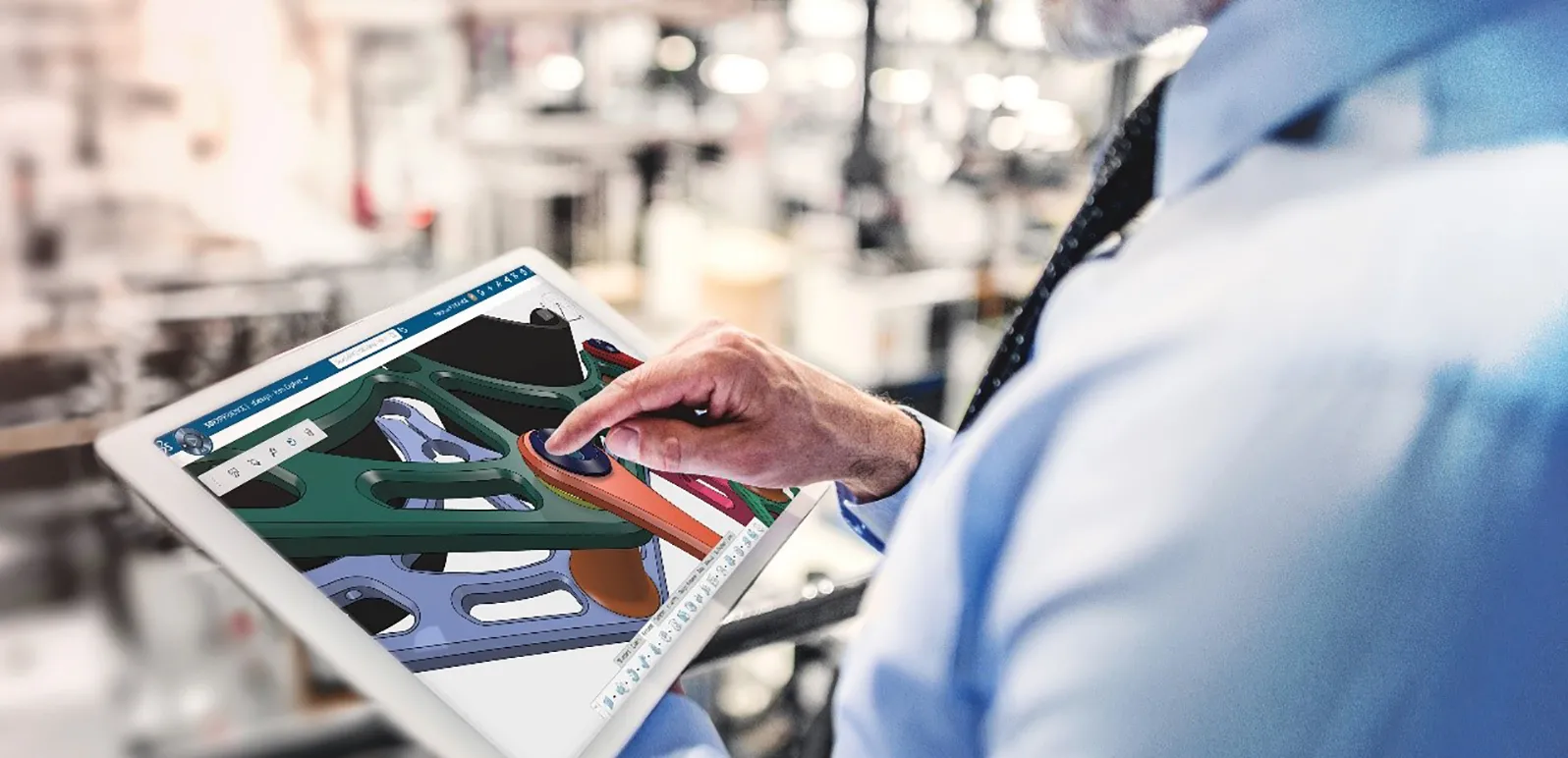
3D models can be viewed and approved from mobile devices. The system automatically monitors versions, checkouts, and enables teamwork in real-time through the principle of concurrent engineering.

Firemní data jsou vždy aktuální

Data jsou vždy dohledatelná a propojená s procesy. Pracujete s jedinou verzí bez složitých adresářů. Platforma podporuje celý životní cyklus dat i spolupráci s dodavateli a zákazníky.

The company environment is unified

The company environment is accessible across devices. All updates and maintenance occur centrally, making it easier to train employees and reduce costs.

Projects are connected to 3D data

Clear planning of company capacities with the ability to flexibly regulate development teams through time-limited licenses. The status of tasks is immediately available, and decisions are made in accordance with ISO 9001 through authorized approvals.

Platform for CAD and design team

Direct integration of SolidWorks and other CAD systems into a single platform enables seamless collaboration. Capacities can be effectively utilized across variously focused design teams.

Data is secure

Data is protected, backed up, and versioned. Access is controlled by variable permissions, all actions are recorded, and access is secured by two-factor authentication (2FA).
Discover what SOLIDWORKS can do for you
Talk to a SOLIDWORKS expert and find out how our solutions enable smooth collaboration and sustainable innovation in companies of all sizes.
Courses and Training
We offer courses and training for students, academia, professionals, and companies. Find the right SOLIDWORKS training for you
Get help
Find information about software and hardware certifications, software downloads, user documentation, and support contacts for offered services.